WHY SIGND
Get it signed. Get the gear out.
Send free hire agreements from your phone. When you’re ready for Pro, keep the booking, condition photos and invoice together, whether you run one machine or a fleet.
Start with a free agreement → Compare plans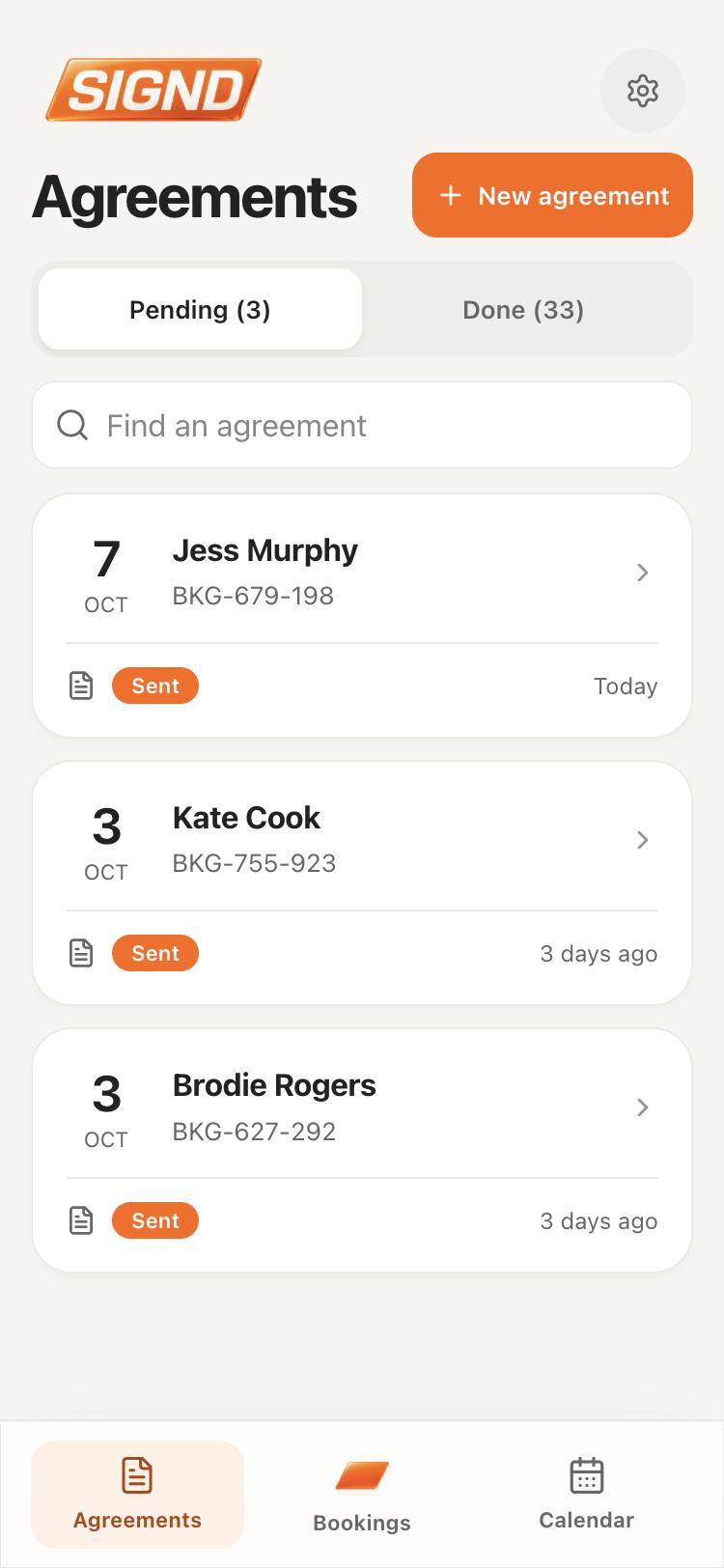
Unlimited agreements on Free. No card needed to start.
COMPARE HIRE SOFTWARE
What comes with the plan?
See how five plans available to Australian hire businesses handle the day-to-day work, from bookings to handover and billing.
. Plans can change.
| Feature | Signd Pro | HirePOS Core | StayOnHire Scheduling + Billing | Point of Rental Essentials | Booqable Grow |
|---|---|---|---|---|---|
| Price and team | |||||
| Subscription price | A$75 / month Or A$600 billed yearly. New Australian web subscriptions, incl. GST. | A$109 / month Incl. GST. | From A$80 / month Ex GST. Based on a minimum charge for 10 primary assets. | Quote required | US$87 / month Or US$69 / month billed annually. |
| How to try it | Free plan Unlimited agreements. 7-day Pro trial for eligible new subscribers. | 30-day trial | 14-day trial | Demo available | 14-day trial |
| Team logins | Owner + up to 3 staff Included at no extra charge. | 1 full user included Extra full user A$49/mo or restricted A$15/mo incl. GST. | 6 office seats Unlimited field and mobile users. Labour add-on sold separately. | At least 2 users | 5 extra team logins Included with Grow. |
| Phone tools for staff | iPhone and Android apps Browser access too. | iPhone app Android web app. | Installable web apps Office and field. | Essentials mobile app Scan items in and out and see delivery and pickup details. | iPhone and Android POS Paid add-on per active user. |
| Agreements and handover | |||||
| Digital agreements | Link or in-person signing Also on Free. No customer account needed. | Link or in-person signing | Digital hire agreements With Billing. | Email or counter signing | Link or in-person signing |
| Condition and returns | Pickup and return reports Photos, checklists, readings and optional sign-off. | Before and after inspections Photos, checklists and signatures. | Before and after inspections Photo records and sign-offs. | Send-out and return photos For serialised equipment. | Damage recorded on return |
| Bookings and getting paid | |||||
| Staff bookings and calendar | Shared calendar See what’s going out, on hire and coming back. Make bookings directly from the calendar. | Reservations and availability | Visual plant scheduling | Reservations and availability | Orders and live availability |
| Hire invoices | Optional booking invoices Use Signd invoicing or keep your current process. | Hire and sales invoices | Job invoices With Billing. | Hire invoices | Order invoices |
| Repeat billing on long hires | Scheduled invoices or card charges For eligible hires with invoicing enabled. Card charges need Stripe and customer agreement. | Batch-generate invoices In advance or arrears. | Draft invoices by billing cycle Review before sending or syncing. | Automatic cycle invoices | Send invoices manually |
| Xero integration | Invoice and payment sync Also import customers. | Xero integration Connects by API. | Invoice and payment sync With Billing. | Xero connection Open accrual accounting. | Invoice and credit note sync |
| Customer access | |||||
| How customers get their paperwork | Emailed booking link Open agreements and invoices without a login or app. Manage all linked hires on the go in the Signd app. | Quote, booking and invoice links | My StayOnHire Sign and open shared documents. | Consumer Portal Contracts and invoices. | Emailed documents Contracts and invoices. |
Prices are in the currency shown. Taxes, add-ons and payment fees can affect what you pay. Follow the links for each plan’s current terms and feature details.
Have the paperwork ready at pickup.
Send your terms ahead or get them signed on your phone. Pro adds custom forms for questions and uploads, plus driver’s licence photo capture.
Pull up the pickup photos on return.
If the bucket comes back marked, open the pickup and return reports on your phone. Pro keeps photos, checklists and meter readings with the booking.
Give the crew their own logins.
Give the person doing the pickup their own login. Pro includes your owner login and up to three staff accounts at no extra charge.
Set up billing for the whole job.
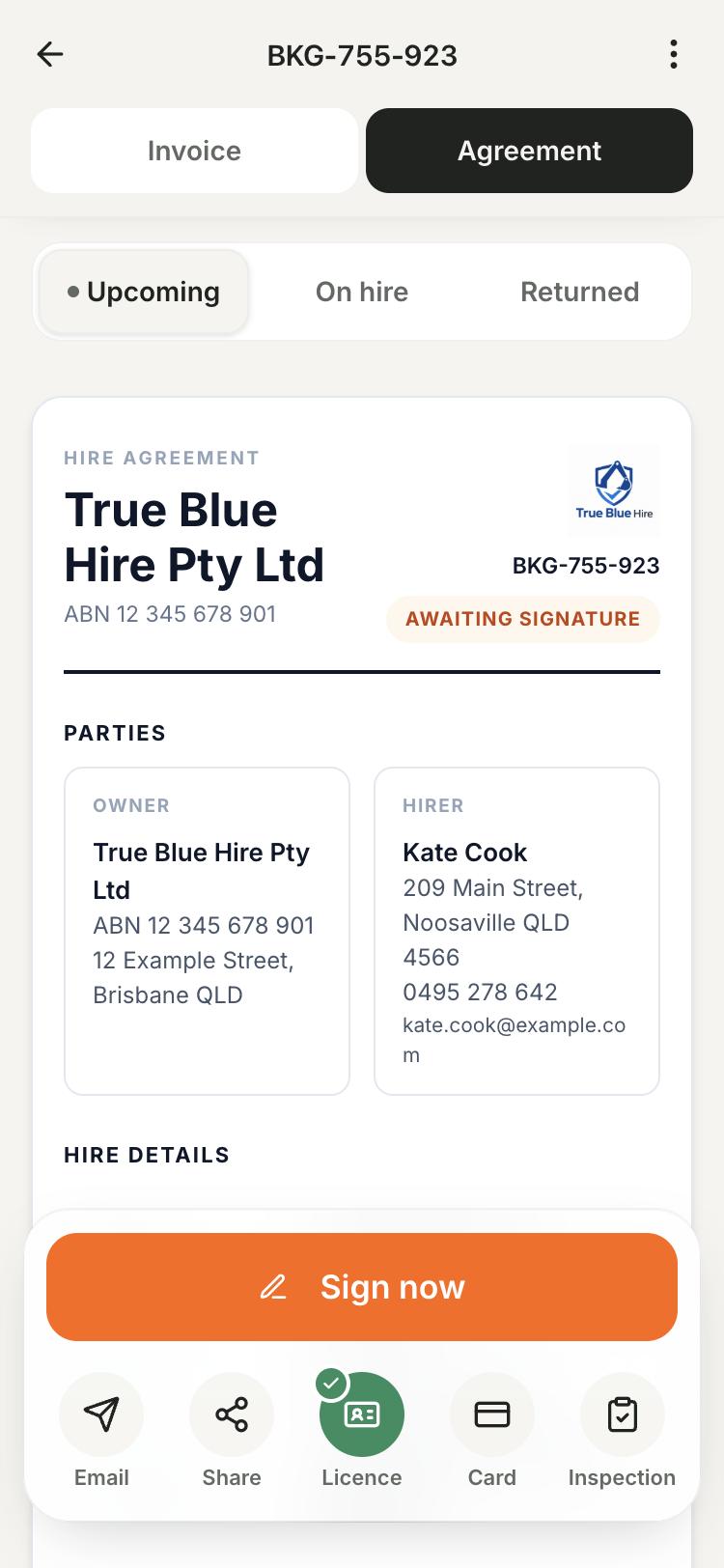
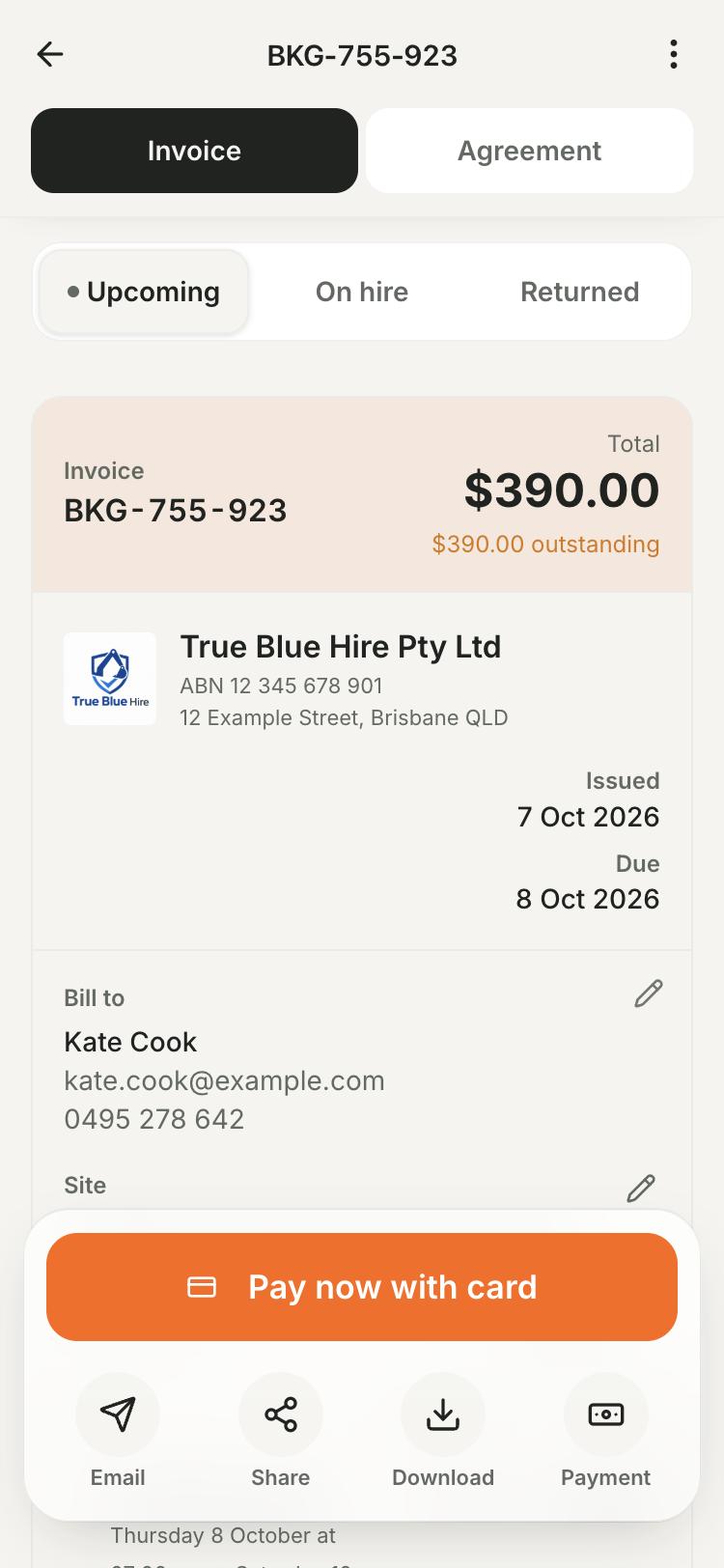
Send invoices from the booking or keep your current invoicing setup. For eligible long bookings, Pro can schedule invoices or collect agreed card payments through Stripe.
Give the customer one link to keep.
With Pro, send one booking link with return details, the signed agreement and the invoice. Customers can pay online when you’ve enabled card payments through Stripe.
THE SIGND APP FOR CUSTOMERS
Their hire details, in their pocket.
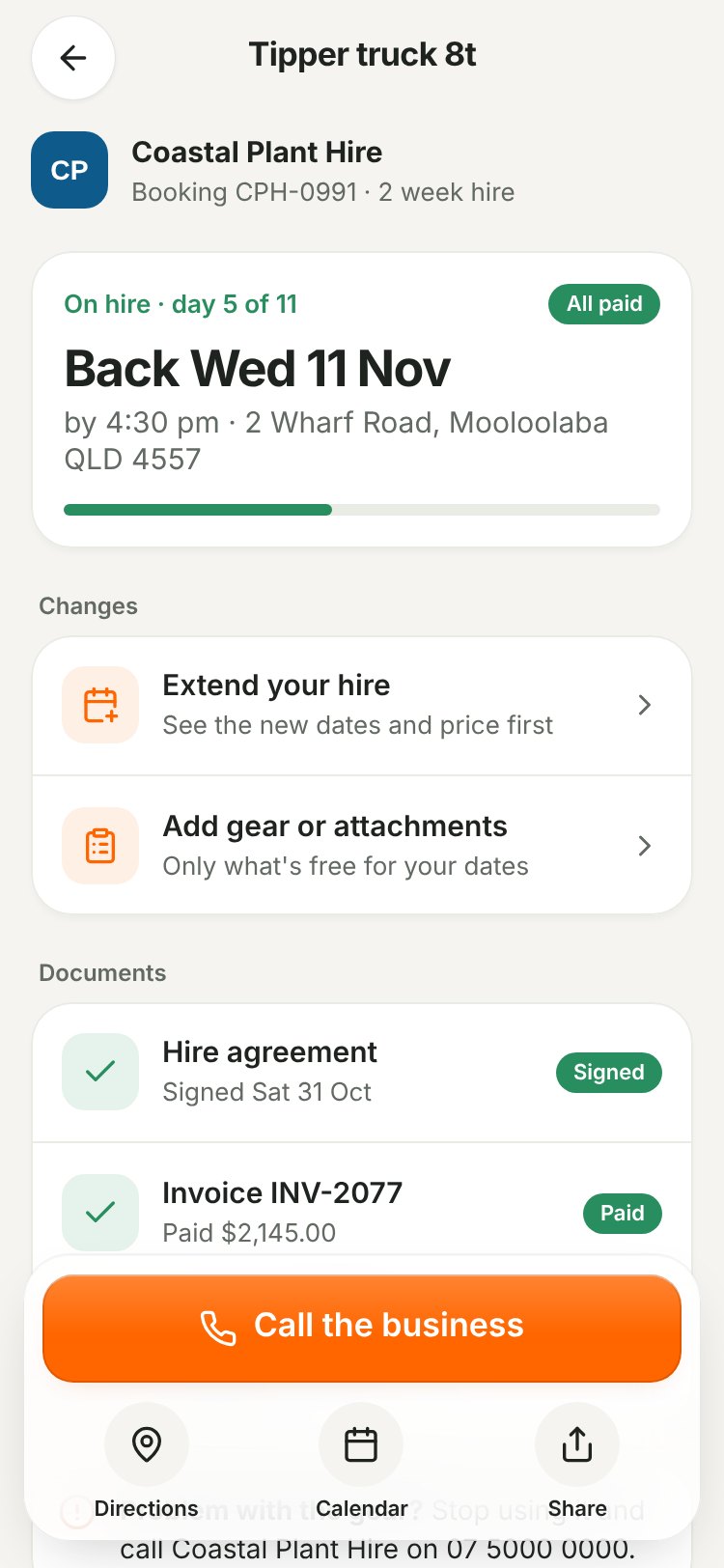
Customers can use their booking link on any phone. To see linked bookings together, they sign in online or use customer mode in a supported version of the Signd app.
- See what’s next
Check return details, fill in a form or sign the agreement.
- Pay and find paperwork
Pay using the methods you offer and open shared invoices and signed agreements.
- Request a change
Ask for more time or gear where available. You choose which changes need approval.
How it works
Start with one machine
Add your business details, the gear going out next and one set of terms.
Try it on yourself
Send yourself a test agreement to see the same signing screen your customer sees.
Send the first agreement
Share the link or let your customer sign beside the machine.
Add the rest as you go
Keep adding gear on Free. Move to Pro when you want the shared calendar, inspections or staff logins.
What's included
Start with unlimited agreements and equipment records on Free. Add Pro when you want bookings, photo inspections, invoicing and up to three staff logins in the same app.
See plans and pricingCommon questions
Can I start with just one machine?
Yes. Start with your next hire. Free includes unlimited digital agreements and equipment records, plus one reusable set of terms.
Do customers need to install the app?
Customers can sign from the link in their browser without an account. If they’re with you, they can sign on your phone.
Does Pro charge extra for staff logins?
Your Pro subscription includes your owner login and up to three separate staff logins at no extra charge.
Hire agreement guides
More ways Signd helps
- Digital hire agreements — Create and sign hire agreements on your phone. Reuse your terms and keep the signed PDF. Unlimited agreements are free.
- Your business in your pocket — Your hire business in your pocket. Manage agreements, bookings, invoices and condition reports from your phone. Start with free agreements.
- Equipment condition reports — Record equipment condition with phone photos, checklists and readings. Compare pre-hire and return reports with Signd Pro.