THE SIGND HIRE BUSINESS APP
Your hire business. In your pocket.
See what’s going out and coming back. Book, sign and take payment from your phone.
Create free account →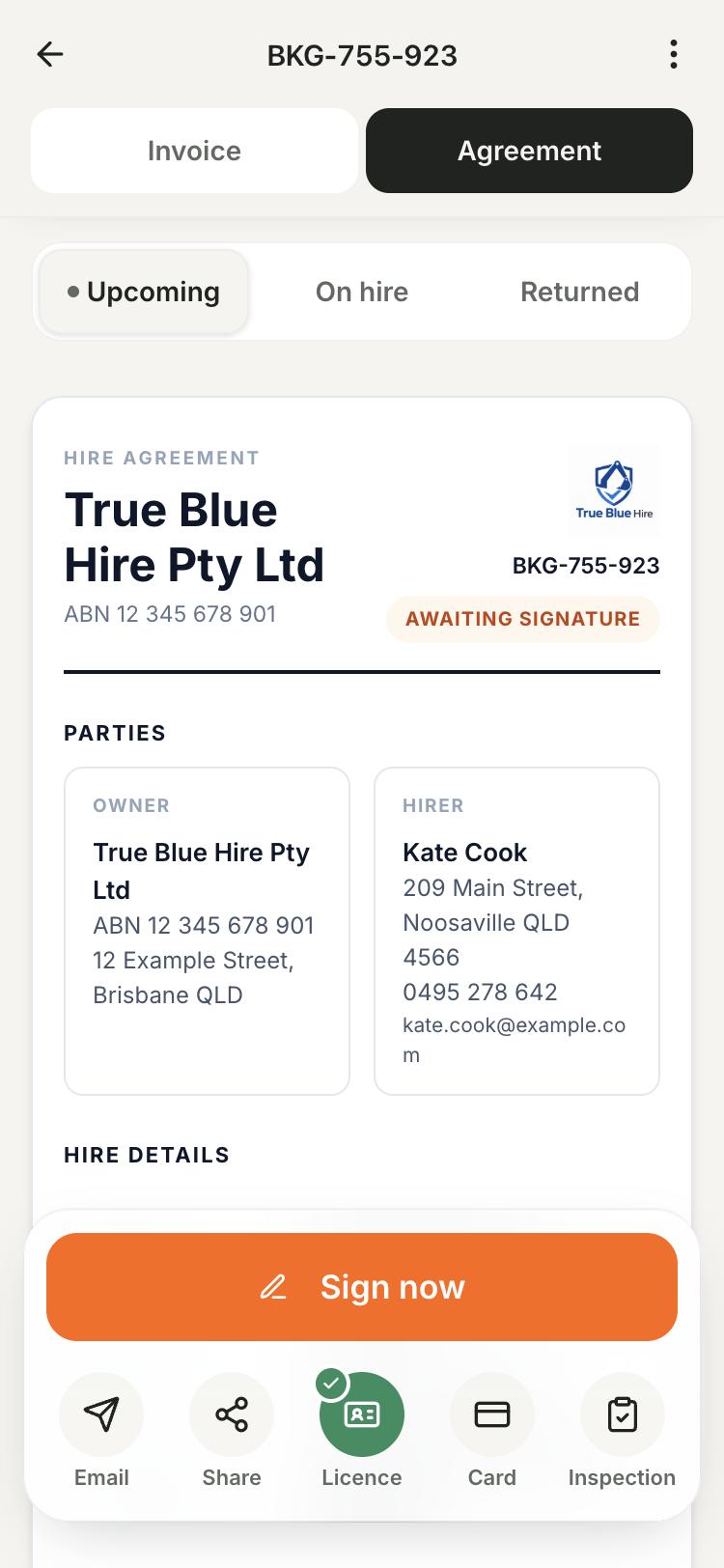
Phone, tablet or computer. iPhone and Android apps are available.
Know what's out. Book what's next.
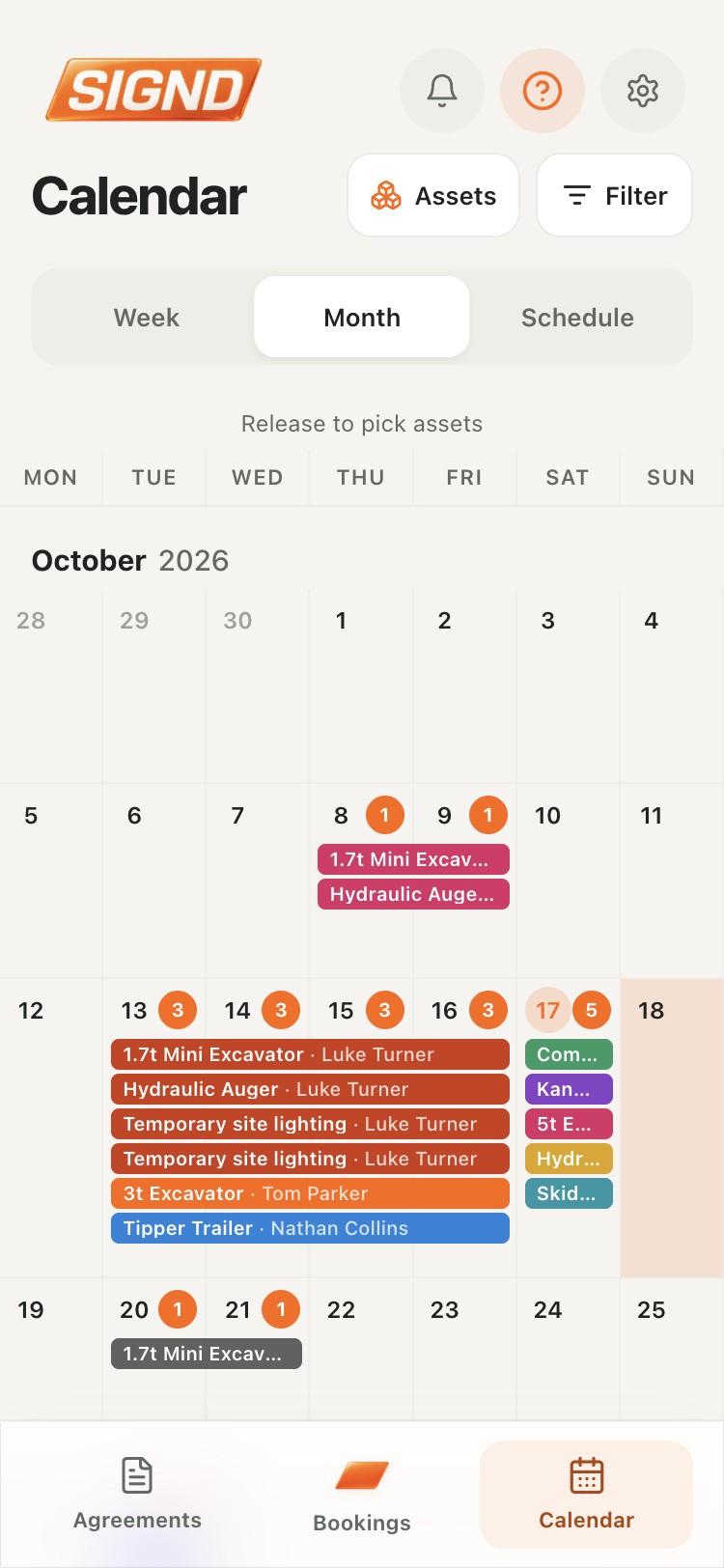
See outgoing hires, gear already out and expected returns. Create bookings from the Pro calendar in month, week or schedule view.
- Keep the customer, dates and invoice with the booking.
- Keep your team in sync with individual staff accounts.
Finish the handover beside the gear.
Send an agreement link or let the customer sign on your phone. Pro adds licence photos, card requests and condition inspections.
- Customers sign in a browser without an app or account.
- Card requests require a connected Stripe account.
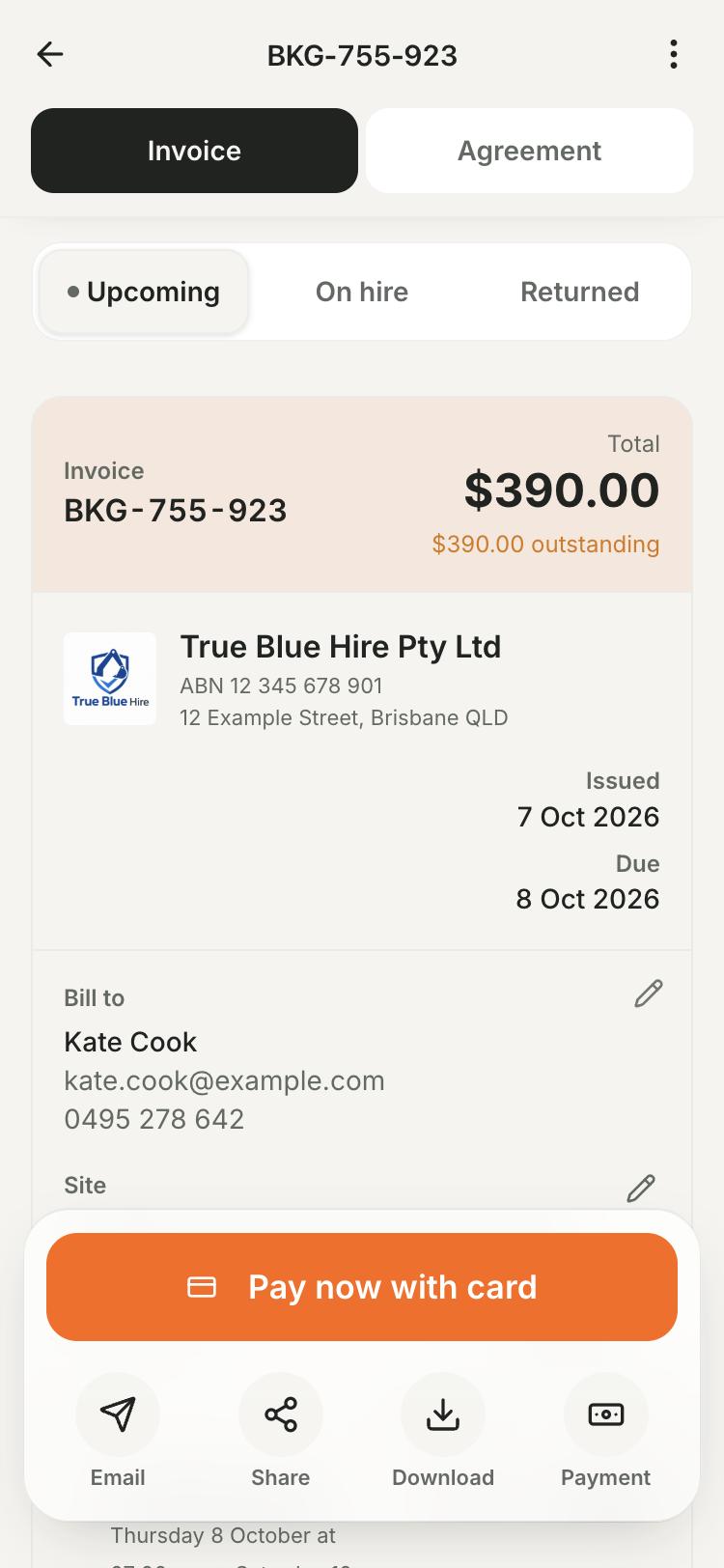
Send invoices. See what's paid.
With Pro, keep the invoice with the booking and let customers pay online through Stripe. Check what's paid from your phone, tablet or computer.
- Save customers and assets for the next hire.
- Connect Stripe for card payments and check their status.
How it works
Check the day
Open the Pro calendar to see bookings and expected returns.
Get it signed
Check the agreement details and signed status before handover.
Record condition
Use a Pro inspection for photos, readings and notes.
Check the return
Review the returned gear, invoice and payment status.
What's included
Agreements are free. Bookings, calendar, invoices and inspections need Pro; card payments also need Stripe.
See plans and pricingCommon questions
Can I use Signd on iPhone or Android?
Yes. Use the iPhone or Android app, or a browser on your phone, tablet or computer.
Is everything shown here free?
Free includes unlimited agreements, customers and assets, with one terms set. Bookings, calendar, invoices, payments, licence photos and inspections require Pro.
Can I work without reception?
Use Signd with an internet connection. Keep the app open until inspection uploads show as saved; full offline operation is not supported.
Can someone else help with handovers?
Pro includes up to three team members with their own logins for agreements, bookings and inspections. The owner controls billing and business settings.
Hire agreement guides
More ways Signd helps
- Digital hire agreements — Create and sign hire agreements on your phone. Reuse your terms and keep the signed PDF. Unlimited agreements are free.
- Protect your business — Keep signed terms, licence photos and condition reports with each hire. Start with free agreements; add handover tools with Signd Pro.
- Simple setup — Add your business details, terms and the gear for your next hire. Send yourself a test agreement, then add more as you need it.