Take a payment
Take a card, record cash or bank transfer, and refund when you need to.
Take a card payment
- Open the booking on the Invoice tab.
- Tap Pay now with card. If they saved a card, it says Charge card ending 1234.
- Check the amount and tap Pay or Charge.
- A receipt is emailed to your customer.
Cards are charged straight away. This button collects the invoice balance; an older booking's separate refundable security deposit line isn't part of it. Stripe transaction fees apply to card charges, including a Security deposit line you collect by card.
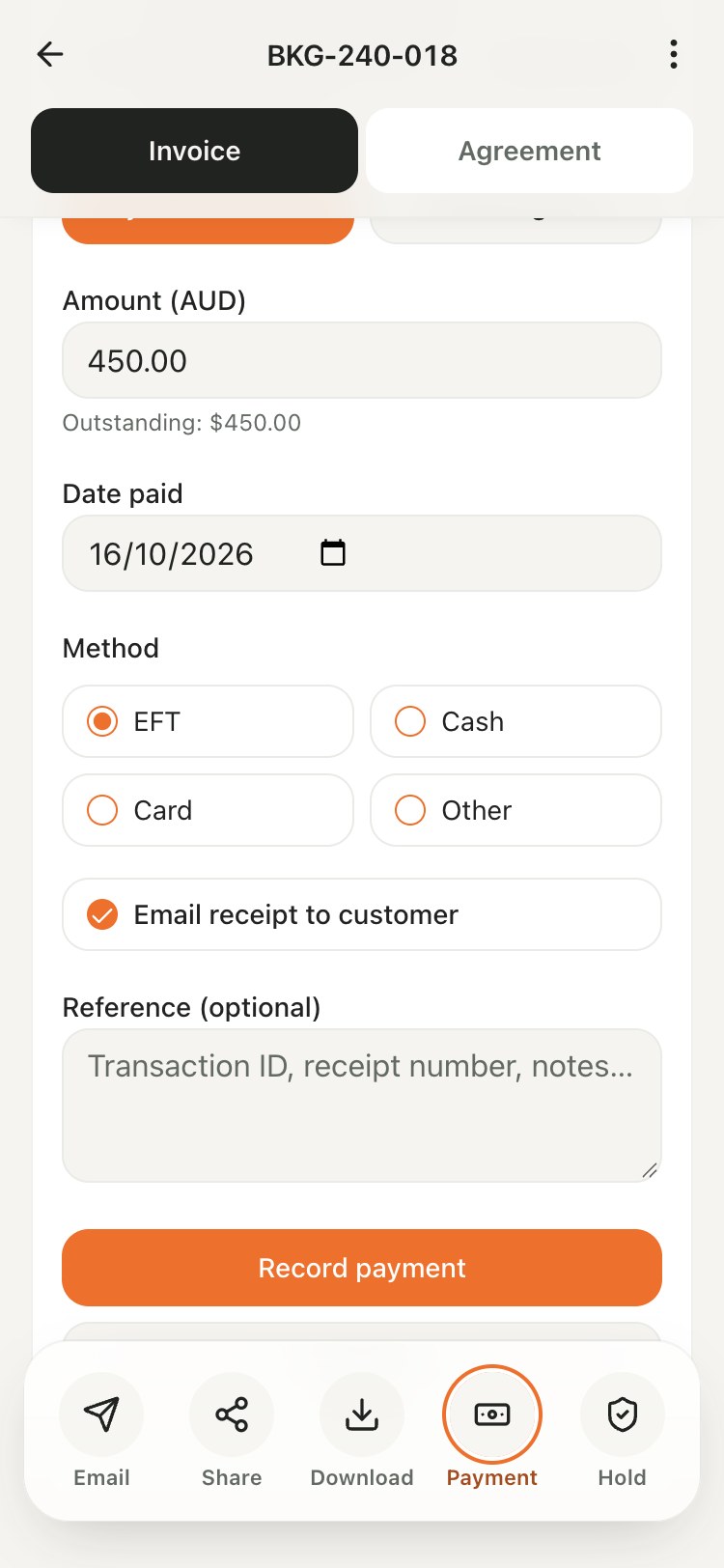
Record cash, bank transfer (EFT) or another payment
- Tap Payment.
- Check the amount. It starts at what's owed.
- Set the date and pick EFT, Cash, Card or Other.
- Keep Email receipt to customer ticked to send a receipt.
- Tap Record payment.
This records money you've already received. Choosing Card here doesn't charge a card or place a security hold.
See your payment history
- Open the invoice and tap Payment. Payment history lists payments and completed refunds with their dates and amounts.
Charge extras after the rental
- Add the extra as a line, like fuel or cleaning.
- Tap Email to send the updated invoice.
- Then tap Charge card ending 1234, or wait for them to pay.
Refund a payment
- Reduce an invoice after it has been paid? Refund due shows how much the customer has overpaid after earlier refunds. Changing the invoice doesn't return money.
- Open Payment. If Refund is available beside a card payment in Payment history, tap it, check the amount and reason, then review before confirming. If card refunds aren't available for your account, Signd tells you.
- Card payment taken in Signd? Open Card, find it under History and tap the undo icon.
- Cash or bank refund? Return the money first, then tap Payment, choose Refund given and tap Record refund. Recording it doesn't move money.
Stripe does not return the original processing fees, even for a full security deposit refund. Refunds use your available Stripe balance, so a card refund may stay pending if the money has already been paid out and there isn't enough left. Releasing an uncaptured security hold is different: nothing was collected to refund.
Something not right?
I recorded a payment by mistake
Tap the trash icon next to it on the invoice and confirm. It doesn't refund a card.
My customer paid by bank transfer
Record it as EFT (bank transfer) so the invoice shows as paid.
Can customers pay online?
Yes. With card payments set up, the invoice email has a Pay now button.