Cancel or delete a booking
Cancel a booking you no longer need, or delete one made by mistake.
Cancel a booking
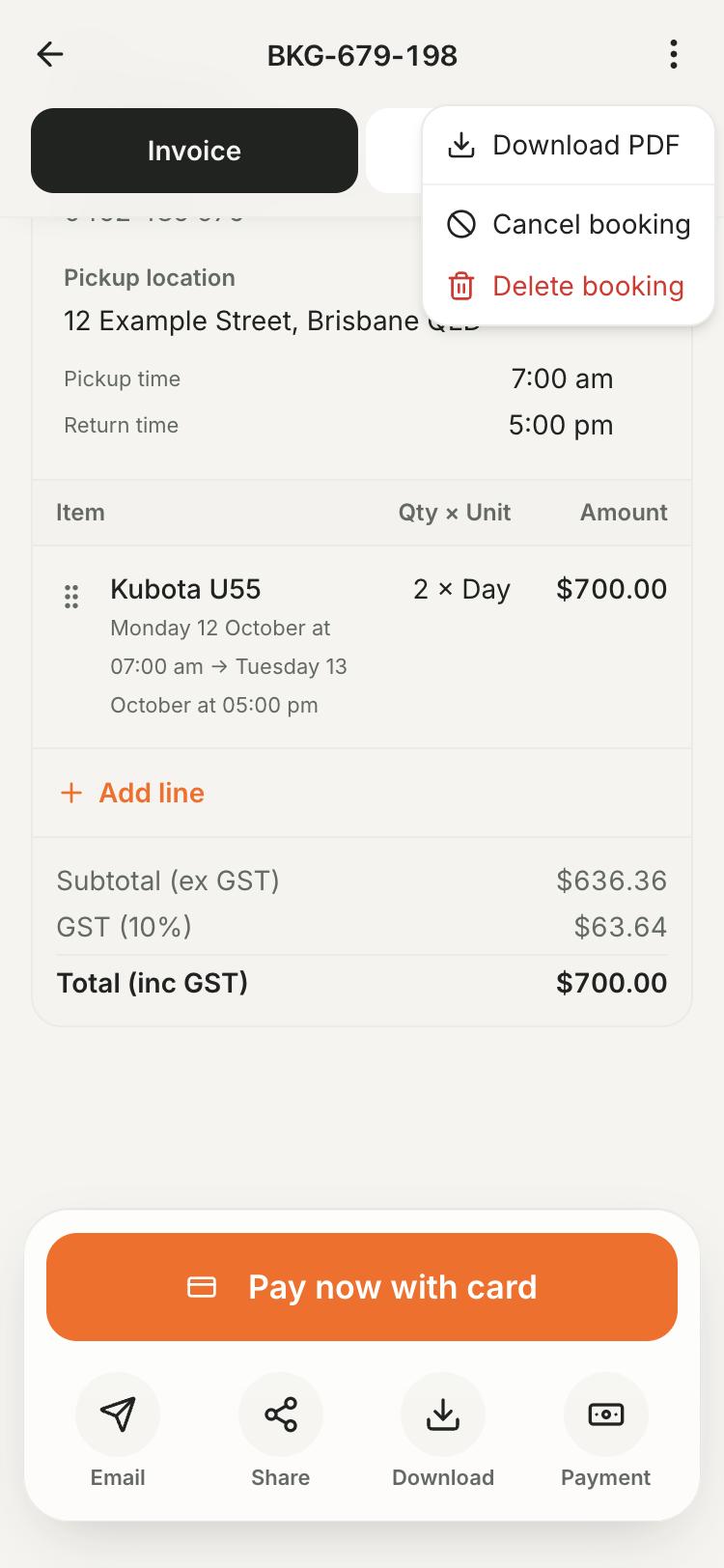
- Open the booking and tap ⋮.
- Tap Cancel booking.
Check and confirm
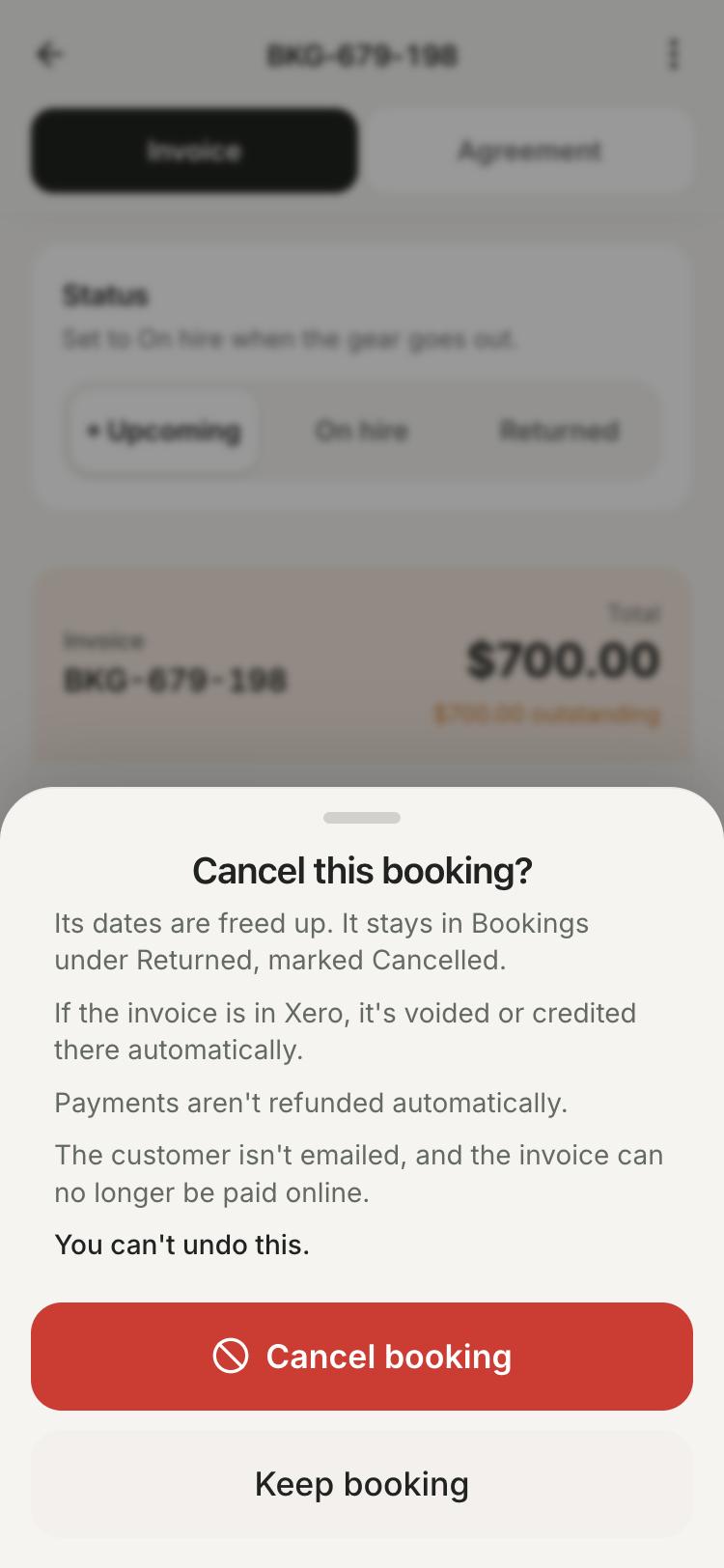
- Read what happens. Its dates are free again. It moves to Returned, marked Cancelled.
- In Xero, the invoice is voided, or credited if it has payments.
- Tap Cancel booking to confirm.
- Changed your mind? Tap Keep booking.
After canceling, the business owner can choose Send cancellation email. To send it later, open the canceled booking and tap Email cancellation. Record any refund separately on the invoice.
Delete a booking
- Made it by mistake? Tap ⋮, then Delete booking.
- It's removed for good, with its invoice and agreement.
- Already in Xero? You can't delete it. Cancel it instead.
You can't undo canceling or deleting.