Collect driver's license photos
Get the front and back of your customer's license when they sign, or add it yourself.
Ask for it when you send
- On the Send step, turn on Licence photos.
- Want it every time? Turn on Driver's licence photos in Settings.
- Your customer adds both sides before they can sign.
Add it yourself
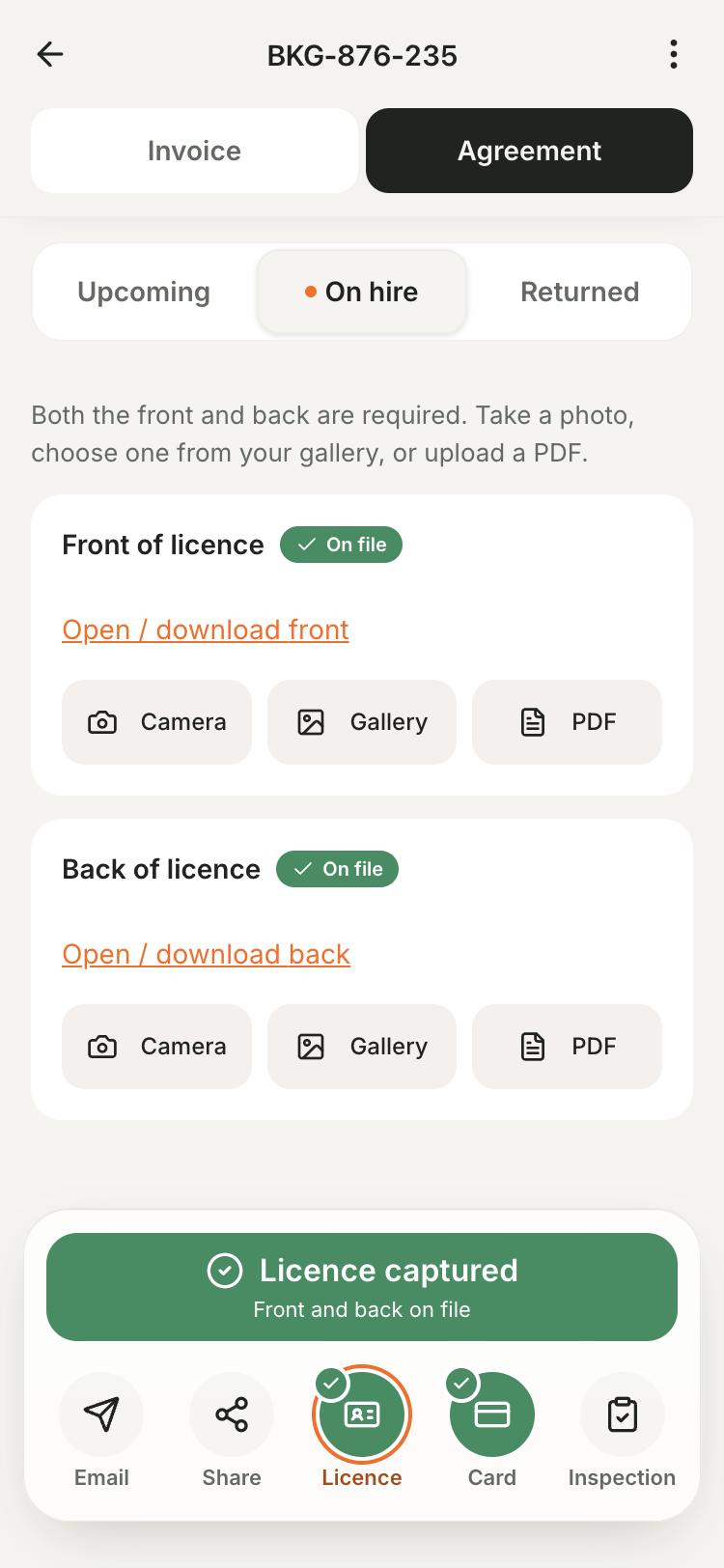
- Open the agreement or booking and tap Licence.
- Under Front of licence, tap Camera, Gallery or PDF.
- Do the same for the back.
- Each side shows On file when it's saved.
- The bar at the bottom shows Licence captured once both are in.
Something not right?
Where can I see a customer's license later?
Open the agreement and tap Licence, or open the customer in Settings → Customers.
Is it stored securely?
Yes. License photos are stored privately. Only your business can see them.