Track your agreements
See what's waiting and what's signed. Resend, share or download in a tap.
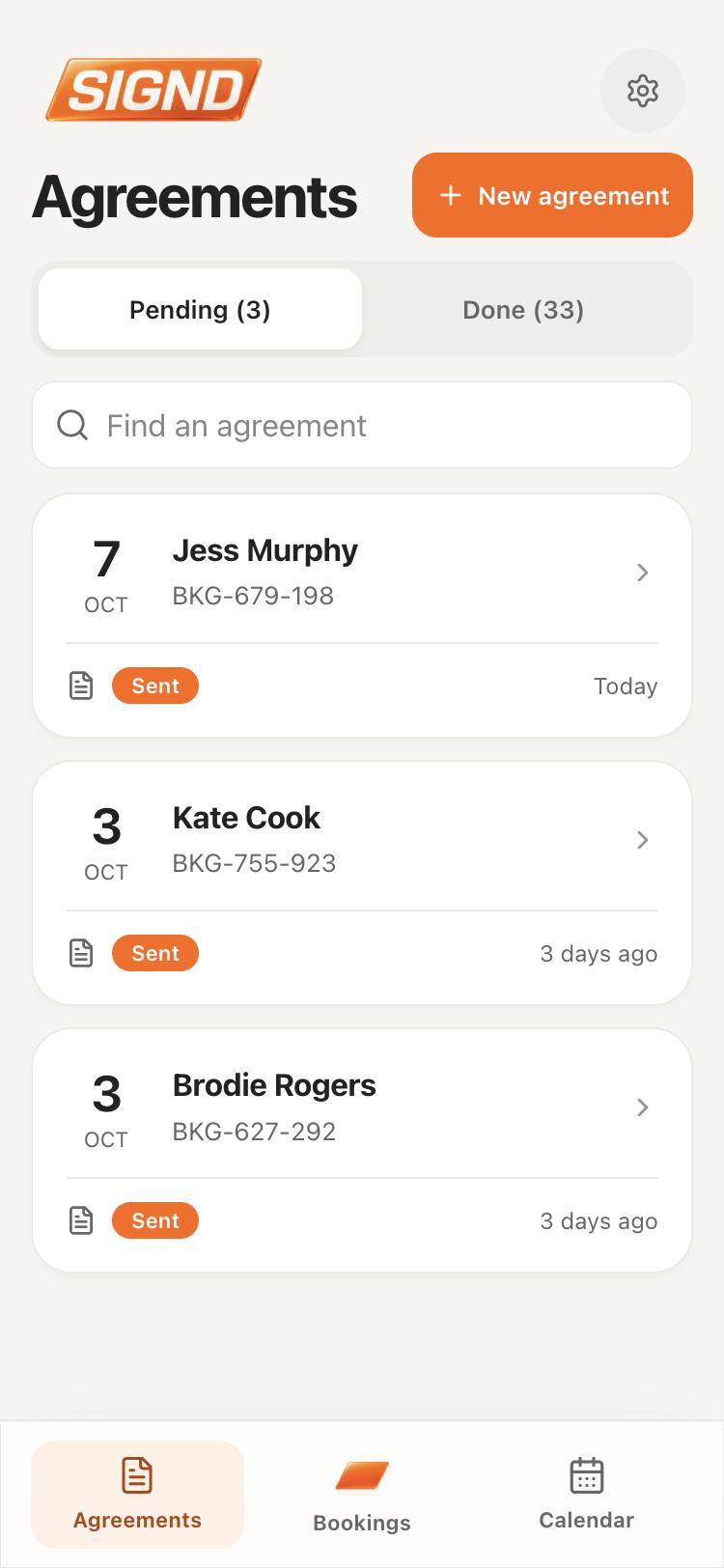
The agreements list
- Pending shows agreements waiting to be signed.
- Done shows signed agreements.
- Search by name, site or reference.
- Each card shows its status: Draft, Sent or Signed.
Open an agreement
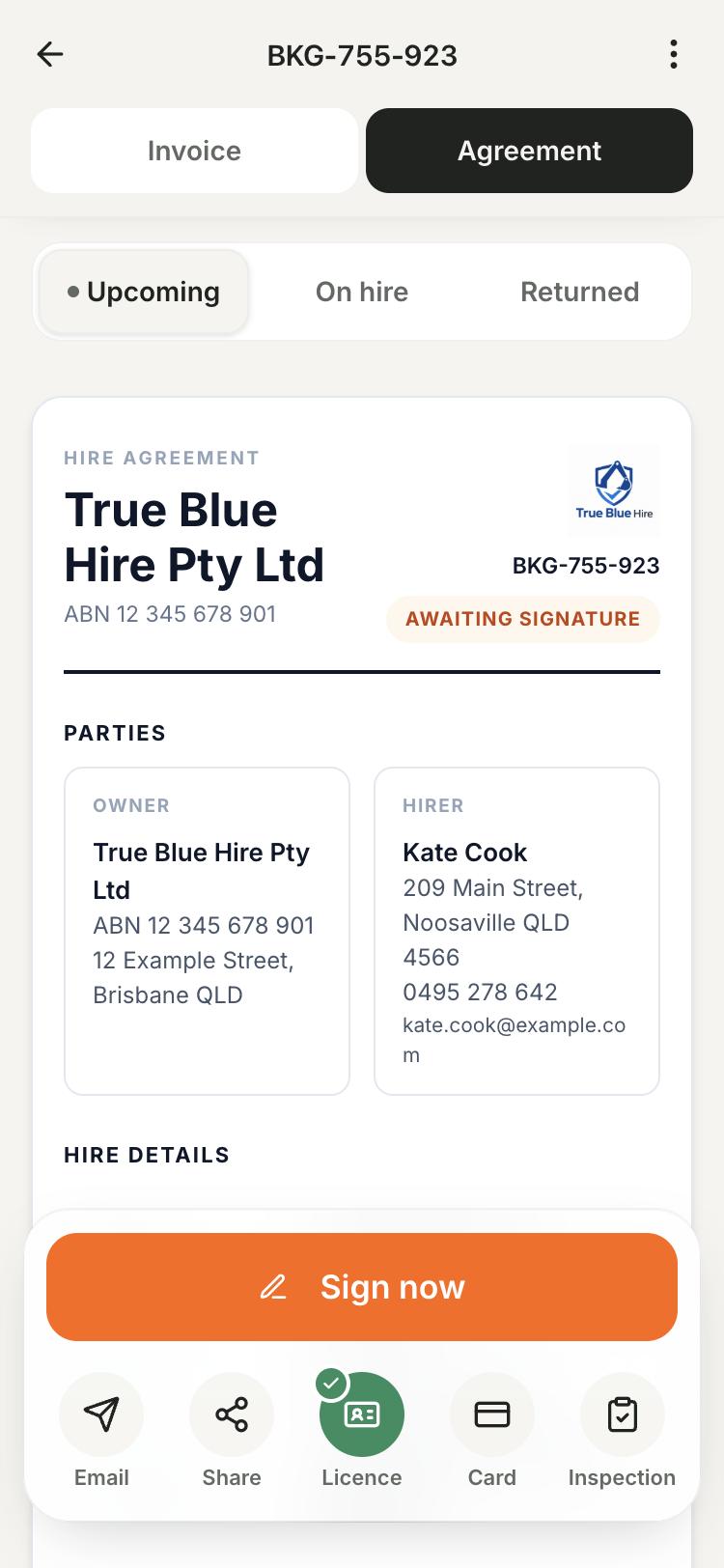
- Email sends the signing link again.
- Share copies the link to paste in a text.
- Licence, Card and Inspection open those panels.
- Tap ⋮ for Download PDF or Delete agreement.
Deleting can't be undone, even for signed agreements. Download the PDF first. You'll be asked to confirm.
What the statuses mean
- Draft: saved, not sent yet.
- Sent: emailed or shared, waiting to be signed.
- Signed: done. The signed copy can't change.