Set up your hire terms
Write, import or switch the terms and conditions on your hire agreements.
Open your terms
- Go to Settings → Terms, or type terms in Find a setting.
- Type straight into the editor. It saves on its own.
- Use the toolbar for bold, headings and lists.
- The buttons at the bottom import, switch or add terms sets.
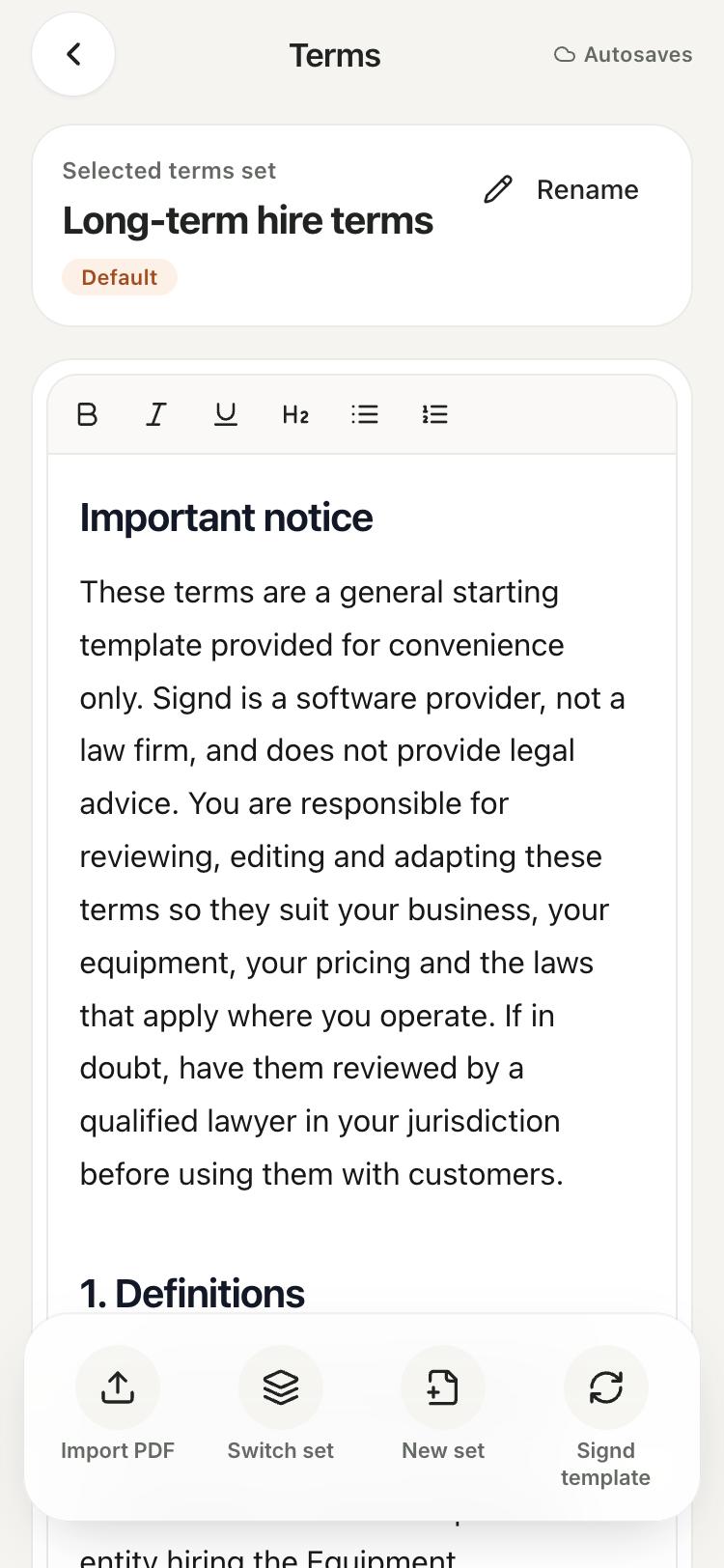
The buttons at the bottom
- Import PDF: upload your existing terms. Signd pulls the text out (Pro).
- Switch set: change which terms set you're editing (Pro).
- New set: save these terms as a new set, like "Wet hire terms" (Pro).
- Signd template: load Signd's starting terms in your wording.
The Signd template is a starting point, not legal advice. Have your terms checked by a lawyer.
More than one set
- Keep different terms for dry hire, wet hire or long-term hire (Pro).
- Pick the set on each agreement or booking.
- Signed agreements always keep the terms they were signed with.