Business details, tax and wording
Your name and logo on documents, your tax, your timezone and your wording.
Open Business details
- Go to Settings → Business details. Or type what you're after, like tax or timezone, in Find a setting to go straight to it.
- Change anything on the page, then tap Save changes at the bottom. It saves every card at once.
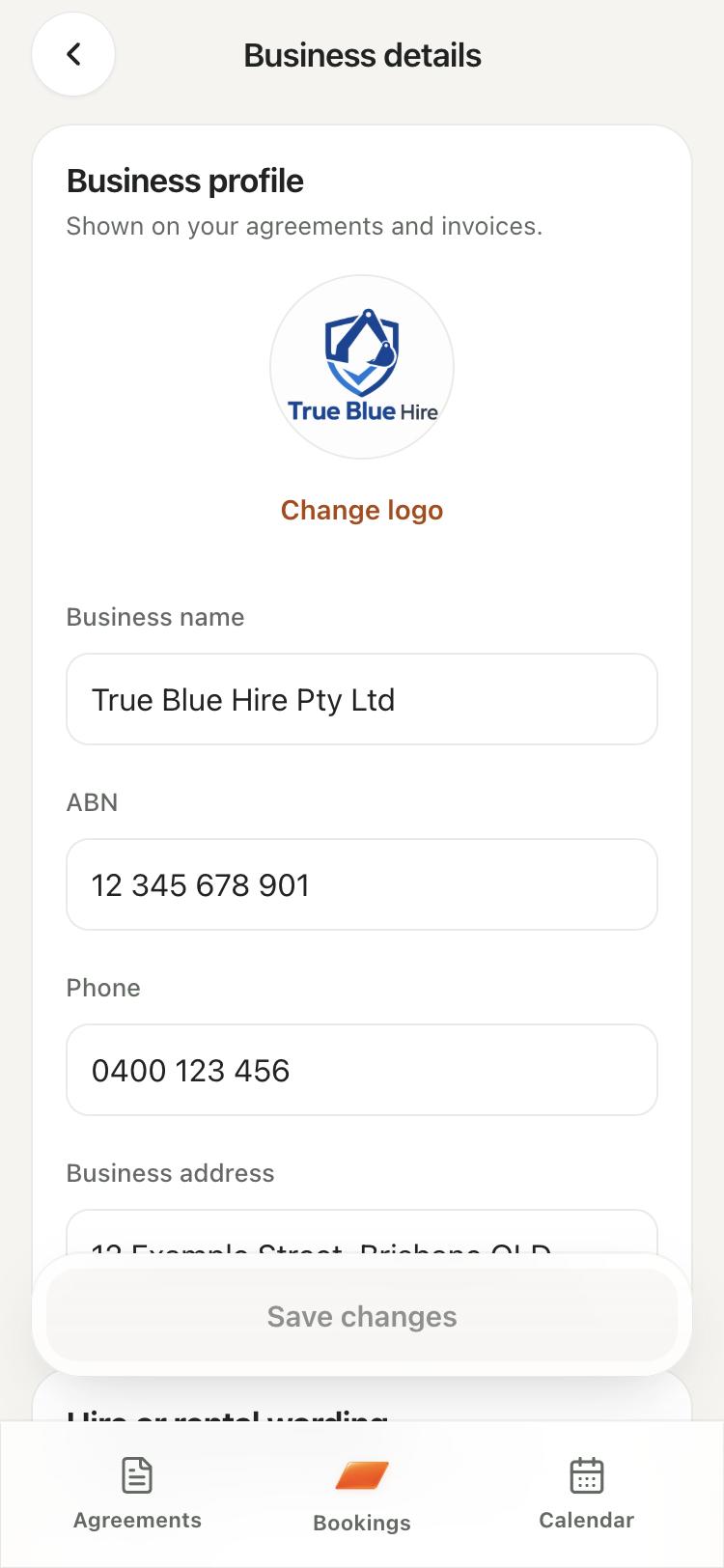
Business profile
- Tap Add logo (or Change logo) to put your logo on agreements and invoices (Pro).
- Add your business name, ABN or tax ID, phone and address.
- Tap Save changes at the bottom. It lights up once you change something.
Country, currency & tax
- Pick your Country, Currency and Date & number format.
- In Australia or New Zealand, answer Registered for GST? Not registered? Choose No — don't add GST. Your invoices then have no GST and say "Invoice", not "Tax invoice".
- Elsewhere, under Tax on new documents, choose No tax or Add tax at a set rate.
- If you add tax, set the Tax name (like GST, VAT or sales tax) and Tax rate (%).
- Turn on Prices I enter include tax if your prices already include it. Leave it off to add tax on top: a $100 item becomes $110 with 10% tax.
- US business? You can also set Maximum sales tax per invoice, like $15.00. It's blank unless you set it. See US sales tax.
- Tap Save changes. It applies to new invoices and agreements.
Signd doesn't choose a tax rate for you. Check with your accountant.
Timezone
- Pick your city, like New York (ET) or Chicago (CT).
- Not listed? Choose Other… and type the timezone, like Europe/London.
- Tap Save changes. New bookings use it.
Choose your wording
- Choose Hire or Rental.
- It changes the words in the app and on new documents, like Hire agreement or Rental agreement.
- Documents you've already sent keep their wording.
Default pickup & return times
- Set the times new bookings start with, like 7:00 am and 5:00 pm.
- Tap Save changes. You can still change them on each booking.
How rental days are charged
- Choose Same-day / calendar-day billing or 24-hour periods, and set a Turnaround after return if you need one. See Choose how rental days are counted.
Something not right?
My team can't change these
That's right. Only the business owner can change business details.
Will changing tax change old invoices?
No. Saved invoices and signed agreements keep their original values.
Does Signd work out US sales tax or Canadian GST/HST?
No. Signd adds the one tax rate you choose, like 8.25% sales tax or 13% HST. It doesn't look up state, local or provincial rates. Tick an item as exempt if it has no tax. Ask your accountant which rate to use.
How does the maximum sales tax per invoice work?
It's optional, for US businesses, and you set it yourself in Settings → Business details. Signd adds up the invoice's taxable total, works out your rate once, then stops at your maximum. At 3% with a $15.00 maximum: $100 has $3.00 tax, $500 has $15.00 and $1,000 has $15.00. It applies per invoice, not per item. Exempt items and refundable deposits aren't counted. New documents use it; invoices and agreements you already made keep their tax. A long rental with a maximum stays on one invoice. Signd doesn't decide whether a maximum applies to you, so ask your accountant.